If you're building a new home, renovating for $50,000 or more, or installing a pool exceeding the volume requiring a BASIX certificate, you need a BASIX certificate before your DA or CDC can be lodged. The process runs entirely through the NSW Planning Portal: log in, start a BASIX project, enter your design details, meet the water, energy, and thermal targets, pay the fee, and generate the certificate. Here's what to have ready before you open the tool:
- NSW Planning Portal account (register free if you don't have one)
- Current architectural plans (floor plans, elevations, site plan)
- Data Input Checklist (download from the Planning Portal before you start)
- Thermal pathway decision (DIY method or NatHERS Simulation)
- NatHERS certificate (required if you choose the Simulation pathway)
- Payment method (credit card for the online portal fee)
One thing to keep front of mind: BASIX commitments are legally binding construction requirements, and a generated certificate expires after three months if not lodged — meaning you may have to regenerate it under updated standards.
Table of Contents
- What do you need to gather before opening the BASIX tool?
- How do you use the BASIX tool and generate the certificate?
- What does BASIX actually measure, and how do you meet the targets?
- When is a BASIX certificate required in NSW?
- Should you prepare the BASIX assessment yourself or hire a professional?
- What does a BASIX certificate cost, and how long does it take?
- How do BASIX commitments affect construction and your occupation certificate?
- How Navilot helps homeowners prepare for BASIX
- Key Takeaways
- The part most guides skip: preparation is where BASIX is won or lost
- Getting your BASIX preparation right before you spend on consultants
- Official sources and further reading
What do you need to gather before opening the BASIX tool?
The single biggest source of delay in any BASIX assessment isn't the tool itself. It's showing up without the right documents and then having to pause mid-assessment to track down a spec sheet or confirm a glazing area with your architect.

The Planning Portal publishes an official Data Input Checklist specifically to prevent this. Download it before you do anything else. It maps every field in the BASIX tool to a corresponding document or design decision, so you know exactly what to collect. Think of it as a pre-flight check.
Here's what you'll need to pull together:
- Architectural plans: floor plans, elevations, and sections with dimensions confirmed
- Site plan: showing orientation, north point, and site boundaries
- Fixture and fitting specifications: tapware, showerheads, toilets (flow rates matter)
- Hot water system specs: type (heat pump, solar, gas, electric), capacity, and location
- Heating and cooling system details: type, zoning, and energy source
- Landscape and drainage notes: irrigation type, permeable surface areas
- Pool or spa volume (if applicable)
- Any existing NatHERS reports if thermal modelling has already been done
Why does one authoritative drawing set matter so much? Because thermal performance modeling and plan coordination are the most common failure points in BASIX assessments. When drawings are still in flux, every design change can ripple through the thermal inputs and force a reassessment. Locking your plans before starting saves consultant hours and prevents rework.
Pro Tip: Before you open the BASIX tool, call your architect or building designer and confirm the thermal pathway. Choosing between the DIY method and the NatHERS Simulation pathway changes what documents you need and who you need to involve — and that decision is much harder to reverse mid-assessment.
How do you use the BASIX tool and generate the certificate?
The BASIX service is accessed only via the NSW Planning Portal, so you'll need a Planning Portal account before anything else. Here's the full workflow:
- Log in or register at the NSW Planning Portal. If you're new, the Portal's "How to register" quick reference guide walks you through account creation in a few minutes.
- Start a new BASIX project. From your dashboard, select "BASIX certificate" from the new application drop-down, or use the "New" menu at the top left of the screen.
- Select your development type. Single detached dwelling, dual occupancy, alterations and additions, residential flat building — the tool adjusts its questions based on what you select. Manufactured homes are exempt and won't trigger a BASIX requirement.
- Enter land and dwelling details. This is where your site plan and floor plans earn their keep: site area, floor area, orientation, glazing areas, and climate zone all feed into the calculations.
- Choose your thermal performance pathway. The DIY method suits simpler detached homes and uses prescriptive inputs. The Simulation/NatHERS pathway requires a NatHERS certificate from an accredited assessor whose thermal model must align exactly with your BASIX inputs and submitted plans.
- Enter water and energy details. Fixtures, hot water system, heating and cooling, solar PV, rainwater tanks — each section has a running score so you can see where you stand.
- Calculate your results. The tool shows whether you've met the water, energy, and thermal targets. If you fall short in one area, adjust inputs (swap a showerhead spec, add insulation, increase PV capacity) and recalculate. You can generate a BASIX Report at any point during this stage — it's free, not legally binding, and useful for sharing with your builder or architect to check that commitments are workable before you commit.
- Review and commit. Once all targets are met, review every commitment carefully. These commitments must match the plans you submit with your DA or CDC. Mismatches between the certificate and your construction drawings are a common cause of delays at the construction certificate and occupation certificate stages.
- Pay the fee and generate the certificate. The BASIX Certificate is only issued once mandatory fields are complete and the fee is paid. Pay online via credit card. The certificate is then available to download, attach to your DA or CDC, and lodge.
A few things to watch:
- You must select both required confirmation boxes in the tool or the system won't let you calculate scores or generate the certificate.
- The BASIX Report and the BASIX Certificate are different documents. Only the certificate is the legal document accepted for lodgement.
- If design details change after lodgement, you can revise an issued certificate — and there is no additional charge for revisions that relate to the same property and project.
What does BASIX actually measure, and how do you meet the targets?
BASIX evaluates three pillars: water efficiency, energy use, and thermal performance. Each has its own scoring target, and the target varies by location within NSW.
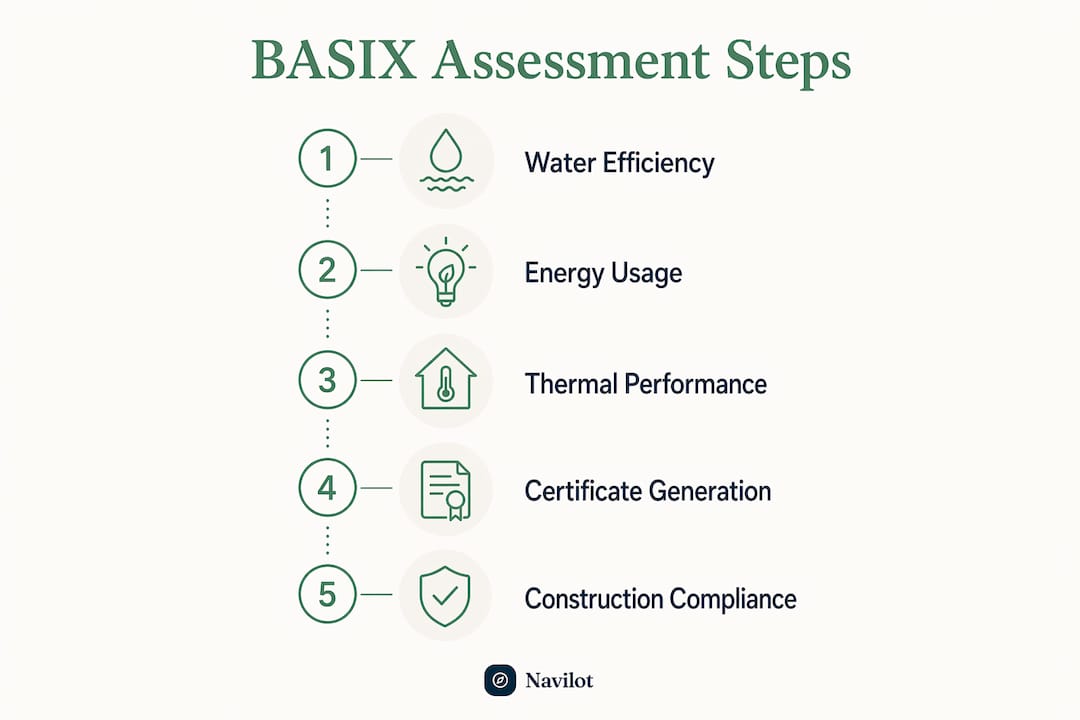
Water covers indoor fixtures (taps, showers, toilets), outdoor irrigation, and rainwater reuse. Common ways to meet water targets include low-flow tapware and showerheads (rated to WELS standards), dual-flush toilets, and rainwater tanks plumbed to toilets and laundry. If your property has no mains water supply, BASIX still applies — it assesses whether your alternative sources (rainwater tanks, for example) can satisfy demand without excessive off-site top-up.
Energy covers hot water systems, heating and cooling, lighting, and solar PV. Heat pump hot water systems score well. So does solar PV, which can offset energy loads across multiple categories. Gas versus electric hot water is a genuine trade-off in the tool — the right answer depends on your climate zone and the rest of your energy profile.
Thermal performance is where most projects get stuck. Since October 2023, the new BASIX standards require at least 7 NatHERS stars for new residential buildings (with exceptions for North Coast climate zones and small apartment buildings up to 5 storeys). The average home meeting these standards is estimated to save a substantial amount per year in energy bills. Thermal performance is driven by building fabric: insulation levels, glazing area and type, shading devices, and orientation.
Pro Tip: Glazing changes and shading adjustments often shift thermal scores more cost-effectively than adding mechanical systems. Before specifying a larger HVAC unit, ask your designer whether reducing east- or west-facing glass or adding external shading achieves the same result at lower cost.
When you choose the Simulation/NatHERS pathway, a NatHERS accredited assessor models your building in approved software. The resulting NatHERS certificate must align with both your BASIX inputs and your submitted plans — any mismatch between the three documents is a red flag for certifiers.
When is a BASIX certificate required in NSW?
The triggers are straightforward for most projects, but edge cases exist. Here's the standard checklist:
- New dwellings of any type (single detached, dual occupancy, multi-dwelling housing, residential flat buildings)
- Alterations and additions valued at $50,000 or more
- Swimming pools or spas (or a combination) with a total volume greater than 40,000 litres serving a single dwelling
- Secondary dwellings (granny flats) created by converting existing habitable space within a primary dwelling
- Pattern Book developments under the Government Architect NSW program
BASIX does not apply to manufactured homes. When you select "Manufactured Home" as the development type in the Portal, it won't trigger a certificate requirement.
For alterations and additions valued at $50,000 or more that are not for use as a dwelling, check with your local council whether BASIX applies — the answer isn't always obvious. Heritage properties and projects using alternative solutions may require a manually produced certificate from the Department, which carries additional cost. When in doubt, the BASIX support hub and the local consent authority are the right places to confirm applicability before you start.
Should you prepare the BASIX assessment yourself or hire a professional?
The BASIX tool is publicly accessible — any homeowner can log in and start an assessment. That accessibility is genuinely useful for simple projects where the design is settled and the thermal pathway is the DIY method. But the tool's openness can be misleading. The inputs it requires are technical, and accurate thermal modeling and plan coordination are frequent failure points even for experienced practitioners.
When DIY makes sense: single detached dwelling, straightforward geometry, plans already locked, DIY thermal pathway, and you're comfortable reading a floor plan and spec sheet.
When to hire a consultant: complex geometry, multi-dwelling development, Simulation/NatHERS pathway, limited plan clarity, or any project where a shortfall in thermal performance would require significant redesign. A NatHERS accredited assessor is required for the Simulation pathway regardless — that's not optional.
If you're engaging a consultant, ask these questions upfront:
- Is NatHERS modelling included in the fee, or quoted separately?
- How many rounds of revision are included?
- What are the deliverables: BASIX Certificate, NatHERS certificates, and a commitments summary?
- What's the expected turnaround from receiving a complete drawing set?
That last question matters more than most people realize. A consultant working from an incomplete or inconsistent drawing set will either pause and wait for you, or make assumptions that require revision later. Hand them a near-complete package and the turnaround drops significantly.
Pro Tip: Prepare a single PDF package for your consultant: floor plans, elevations, site plan, fixture schedule, and hot water/HVAC specs, all from the same drawing revision. Consultants who receive a coordinated set typically turn around a BASIX assessment faster and with fewer revision rounds than those working from scattered or mismatched files.
What does a BASIX certificate cost, and how long does it take?
The cost has two components: the NSW Planning Portal fee (set by regulation) and the professional fee for assessment and NatHERS modelling (set by the market).
Official portal fees
The regulated fee schedule under the Environmental Planning and Assessment (Development Certification and Fire Safety) Regulation 2021 sets the following fees for certificates issued via the approved BASIX system:
| Development type | Portal fee |
|---|---|
| Single detached dwelling | $50 |
| Dual occupancy / attached dwellings (first 2 dwellings) | $50 |
| Each additional dwelling beyond 2 | $25 |
| Residential flat building (first 3 dwellings) | $50 |
| Each additional dwelling beyond 3 | $25 |
| Alterations and additions (per dwelling) | $50 |
| NSW Planning Portal lodgement surcharge | $5 |
| Development not listed in the table | $50 |
Certificates not issued via the approved BASIX system (heritage, alternative solutions) carry an additional charge: the higher of 50% of the table fee or $250, capped at the published maximum.
Professional fees
Professional BASIX and NatHERS fees are separate and vary considerably by project scope. A straightforward single dwelling with the DIY thermal pathway sits at the lower end. A multi-dwelling project requiring full NatHERS simulation for each unit sits at the higher end. Get itemized quotes that separate the BASIX assessment fee from any NatHERS modelling fee.
Timelines
A simple single dwelling with locked plans and the DIY pathway can be completed in a day or two. Projects requiring NatHERS modelling typically take one to two weeks, depending on the assessor's workload and how complete your drawing set is. Add design revision rounds and that can stretch further.
The 3-month expiry rule is the timeline risk most people underestimate. Generate the certificate too early and it may expire before your DA is ready to lodge. Generate it too late and you're under pressure. Aim to generate the certificate when your DA package is nearly complete.
Pro Tip: Front-load plan coordination before engaging a consultant. One locked drawing set handed to a NatHERS assessor at the start of their engagement is worth more than three rounds of revisions after the fact. It's the single most effective way to control professional fees.
How do BASIX commitments affect construction and your occupation certificate?
Every commitment listed on your BASIX certificate is a legally binding construction requirement. It's not a suggestion, and it doesn't disappear once the DA is approved. Certifiers check BASIX commitments at the construction certificate stage and again at the occupation certificate stage.
The practical implication: your construction drawings and specifications must reflect every commitment on the certificate. If the certificate says R3.5 ceiling insulation and your builder installs R2.5, that's a compliance failure. If the certificate specifies a heat pump hot water system and the builder substitutes a standard electric unit, the occupation certificate can be withheld.
Common compliance checkpoints to track:
- Construction certificate stage: certifier checks that the approved plans and specifications match the BASIX commitments
- During construction: builder must install specified fixtures, insulation, glazing, and systems as committed
- Occupation certificate stage: certifier verifies that commitments have been delivered on-site
Design changes happen. When they do, the certificate needs to be revised before the change is made on-site. Revising an issued certificate for the same property and project carries no additional portal fee. But if the certificate has expired (past the 3-month lodgement window), you'll need a new one — and that new certificate must meet the standards in force at the time of regeneration, which may be stricter than the original.
Builders and certifiers should maintain a commitments checklist drawn directly from the BASIX certificate, cross-referenced against the approved plans. Tracking this through construction, rather than scrambling at OC stage, prevents the kind of last-minute surprises that delay handover. For builders managing multiple trades and documentation across a project, construction safety management workflows that integrate compliance tracking can reduce the risk of commitments slipping through the cracks.
How Navilot helps homeowners prepare for BASIX
Navilot doesn't issue BASIX certificates or council approvals. What it does is help you get organized before you engage a consultant or open the Planning Portal — which is where most delays actually start.
The platform provides:
- Guided property questionnaires that map your project to the likely approval pathway and flag whether BASIX applies
- Custom checklists aligned to the BASIX Data Input Checklist, so you know exactly what to collect before starting an assessment
- Document organization workspaces to package your drawings, NatHERS files, and specifications into a single, consultant-ready set
- Connections to relevant professionals when you need a NatHERS assessor or building designer
Practical use cases for homeowners going through BASIX:
- Preparing the Data Input Checklist before your first consultant meeting
- Packaging the drawing set so a NatHERS assessor can start immediately
- Tracking BASIX commitments through construction to avoid OC-stage surprises
- Monitoring certificate expiry dates to prevent relodgement under updated standards
For homeowners planning a renovation or new build in Sydney, Navilot's step-by-step approach turns a confusing preparation process into a clear sequence of tasks — before you spend a dollar on professional fees.
Key Takeaways
Getting a BASIX certificate in NSW requires a Planning Portal account, locked architectural plans, a confirmed thermal pathway, and a clear understanding of the 3-month expiry rule before you generate the certificate.
| Point | Details |
|---|---|
| Who needs BASIX | New dwellings, renovations valued at $50,000+, and pools or spas over 40,000 litres all require a certificate. |
| Prepare before you start | Download the Data Input Checklist and lock your plans before opening the BASIX tool to avoid mid-assessment delays. |
| Portal fees are regulated | Fees for certificates are $50 per dwelling for most development types, plus a $5 portal surcharge. |
| Three-month expiry risk | A generated certificate expires if not lodged within 3 months; regenerating may require meeting updated standards. |
| Navilot for preparation | Navilot provides custom checklists, document workspaces, and guided questionnaires to organize your BASIX preparation before engaging consultants. |
The part most guides skip: preparation is where BASIX is won or lost
The conventional advice on BASIX focuses on the tool: log in, enter data, meet targets, pay, done. That framing is technically accurate and practically incomplete.
The real difficulty isn't navigating the Planning Portal. It's showing up to the assessment with a coherent set of documents, a confirmed thermal pathway, and a design that's stable enough to commit to. Most delays, most revision rounds, and most occupation certificate headaches trace back to one of three things: plans that weren't locked before the assessment started, a thermal pathway chosen without understanding what documentation it requires, or commitments that drifted from the construction drawings during the build.
The 3-month expiry rule compounds this. Generate a certificate too early in the design process and you're racing the clock. Generate it from unstable plans and you're setting up revision rounds. The right sequence is to treat BASIX preparation as a design coordination task, not a paperwork task — and to do that coordination before you open the tool, not after.
For homeowners, the practical recommendation is this: get your plans locked, confirm the thermal pathway with your designer, and if the project involves NatHERS simulation, engage the assessor early enough that their inputs can influence the design rather than just document it. That sequence costs less, takes less time, and produces a certificate that actually matches what gets built.
Getting your BASIX preparation right before you spend on consultants
Most homeowners heading into a BASIX assessment underestimate how much preparation work sits before the first consultant meeting. Navilot is built for exactly that gap: the space between "I know I need a BASIX certificate" and "I'm ready to hand a complete package to a professional."
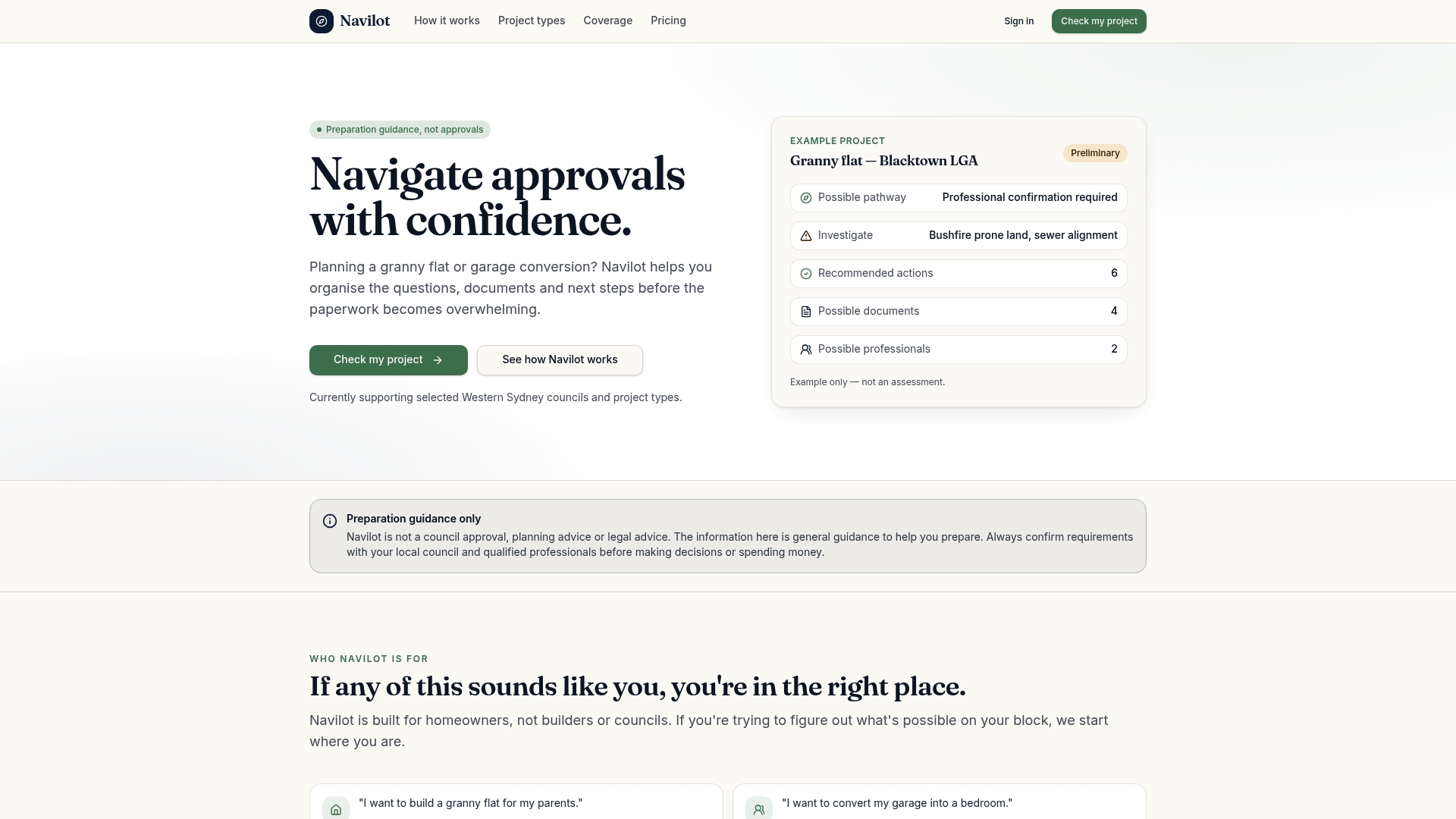
Navilot gives you a tailored checklist mapped to the BASIX Data Input Checklist items, a document workspace to organize drawings and NatHERS files, and a clear roadmap of what needs to happen before you lodge. Homeowners who arrive at a consultant meeting with a near-complete submission package typically spend less on professional fees and move through the assessment faster. Navilot doesn't issue BASIX certificates or approvals — it prepares you to get them efficiently.
Check your project and get your preparation roadmap to see what's included and start for free.
Official sources and further reading
The authoritative sources for BASIX in NSW are all published by the NSW Department of Planning and Environment. Here's where to go for each type of question:
- Getting a BASIX certificate — the Planning Portal's step-by-step guide covering tool access, workflow, and the difference between a BASIX Report and a BASIX Certificate. Start here.
- How the BASIX standards apply — explains the October 2023 standard changes, the 3-month expiry rule, and transitional arrangements. Essential reading before you generate a certificate.
- BASIX overview and tool access — the main BASIX landing page with links to the tool, support materials, and the BASIX support hub email for queries.
- Alterations and additions — confirms the $50,000 threshold and pool/spa volume trigger for renovation projects.
- BASIX certificate fees (Regulation 72) — the legislative source for the official fee schedule. Use this to verify current fees before lodging.
- Planning Portal FAQ — BASIX service — covers common questions including the BASIX Report vs Certificate distinction, off-grid water supply scenarios, and manufactured home exemptions.
For project-specific queries the published guidance doesn't resolve, contact the BASIX support hub at [email protected] (include "BASIX" in the subject line) or speak directly with your local consent authority. They're the right call for heritage properties, alternative solutions, and edge cases around applicability.
This article is general information only, not professional planning or legal advice. Confirm current fees, thresholds, and standards with the NSW Planning Portal or a qualified professional before lodging.