

For most Australian homeowners, the best all-purpose starting point is a Google Sheets renovation budget template: free, shareable with your builder, and accessible from any device. If you're managing a contractor-run full renovation, a Smartsheet construction template adds timeline tracking and form-based quote collection that a basic spreadsheet can't match.
Here's the shortlist to get you started today:
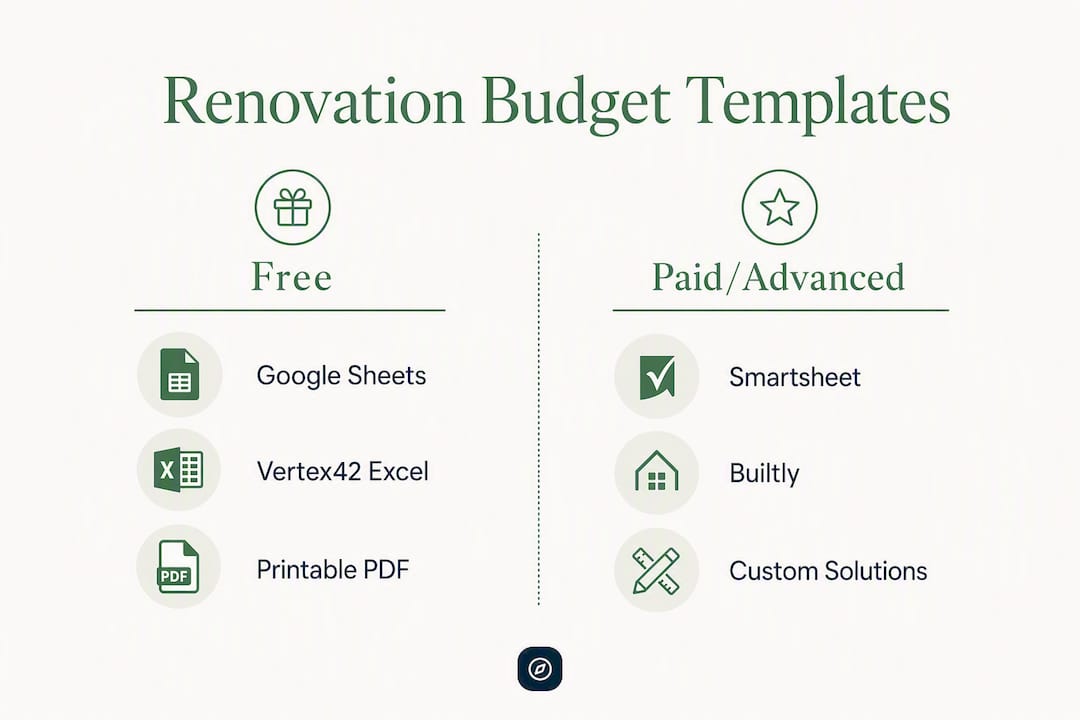
- Google Sheets home renovation template (free): Best first download for any project. Covers estimate, actuals vs. budget, and contingency in one file. Grab a copy from Google's template gallery or a site like Vertex42.
- Vertex42 Excel renovation budget template (free): The go-to for single-user control. Includes a detailed line-item estimator and a contractor comparison tab. Download directly from Vertex42.com.
- Smartsheet construction budget template (free with account): Built for contractor-managed projects. Adds cashflow columns, milestone tracking, and collaborative editing. Requires a Smartsheet account.
- Printable PDF renovation worksheet (free): Ideal for a quick single-room job or a pre-quote scoping session. Download from sites like RenoGuide or Builtly.
Which to use first: If you're still getting quotes, start with the Excel or Sheets estimator to compare bids on identical scope. Once you've signed a contract, switch to a live tracking file (Sheets or Smartsheet) for weekly actuals vs. budget checks.
Table of Contents
- Best renovation budget templates compared at a glance
- What each template actually contains
- How to choose the right template for your project
- How to set up and use your template as a live budget
- Quick technical checklist for your platform
- Which template to pick right now, by scenario
- Key Takeaways
- The habit that actually keeps renovation budgets honest
- Pair your template with Navilot's approvals roadmap
- Downloads, source links, and compatibility notes
Best renovation budget templates compared at a glance
| Template | Best for | Format | Price | Ease of use | Key features | Compatibility |
|---|---|---|---|---|---|---|
| Google Sheets renovation template | Small DIY to mid-size projects | Google Sheets | Free | Simple to moderate | Estimate, actuals vs. budget, contingency, collaborative editing | Mobile + desktop, real-time sharing |
| Vertex42 Excel template | Single-user, detailed line-item control | Excel (.xlsx) | Free | Moderate | Line-item estimator, contractor comparison, materials vs. labour split | Desktop (Excel 2016+), limited mobile |
| Smartsheet construction template | Contractor-managed full renovation | Smartsheet | Free with account | Moderate to advanced | Cashflow, milestone timeline, form-based quote collection, team sharing | Mobile + desktop, full collaboration |
| Printable PDF worksheet | Single room, quick scoping | Free | Very simple | Basic cost checklist, room-by-room breakdown | Print or fill on any device | |
| Builtly renovation budget template | Full-house with all eight cost categories | Google Sheets or PDF | Free | Simple | Includes design fees, approvals, holding costs, contingency | Mobile + desktop |
On collaboration: Google Sheets and Smartsheet both support real-time multi-user editing, which matters when your builder, partner, or project manager needs to update the same file. Excel works well for a single owner who wants tight version control but becomes messy when emailed back and forth. PDF worksheets are strictly single-user and best treated as a scoping tool, not a live tracker.
What each template actually contains
Understanding what's inside a file before you download saves you from rebuilding it from scratch.
Google Sheets renovation template
Typically includes three to four tabs: a summary dashboard, a line-item estimate sheet (trade by trade), an actuals vs. budget tracker, and a contingency reserve line. The collaborative editing is the real advantage. You can share a view-only link with your builder and an edit link with your partner, all from the same URL. No software to install, and it works on an iPhone during a site visit.
Pros: Free, always accessible, easy to share. Cons: Formulas can break if collaborators edit carelessly; no built-in timeline or cashflow tab in most free versions.
Vertex42 Excel renovation budget template

This is the most detailed free option for line-item control. The file includes a cost estimator tab broken down by trade (demolition, framing, plumbing, electrical, tiling, painting), a contractor comparison tab where you can enter up to three quotes side by side, and a materials vs. labour split column. It's the right tool when you're getting multiple contractor quotes and need to compare them on identical scope.
Pros: Detailed, offline-capable, strong contractor comparison. Cons: Requires Excel 2016 or later for full functionality; no real-time collaboration; mobile experience is poor.
Smartsheet construction budget template
Smartsheet's template goes beyond a spreadsheet. It adds a Gantt-style timeline, cashflow columns by month, and a form your builder can fill out to submit quotes directly into the file. For a full renovation with multiple trades and a project manager, this is the most capable free option. You'll need a Smartsheet account (free tier available).

Pros: Timeline + budget in one place, form-based quote collection, strong mobile app. Cons: Learning curve for first-time users; some advanced features require a paid Smartsheet plan.
Printable PDF renovation worksheet
A PDF checklist works best before you've committed to a scope. Print it, walk through the house, and tick off every task you're considering. It forces you to think room by room before a number appears anywhere. Sites like RenoGuide offer free printable planners that include a bundling prompt: grouping tasks that share the same site establishment costs (scaffolding, skip bins, licensed trade call-outs) into a single mobilization week.
Pros: Zero setup, works offline, great for scoping. Cons: Not a live tracker; can't calculate totals automatically.
Builtly renovation budget template
The Builtly template is notable for including all eight cost categories a defensible Australian renovation budget needs: builder quote, design and professional fees, planning and approval fees, site costs, construction costs, fitout and finishes, temporary accommodation, and contingency. Most free templates miss at least three of these. Download it as a starting point if you're doing a full-house renovation and want to make sure nothing is left off the list.
Pros: Comprehensive category coverage, Australia-specific. Cons: Less granular on trade-level line items than Vertex42.
How to choose the right template for your project
The format matters less than whether the template matches your project's complexity.
Project scale is the first filter. A single bathroom refresh needs a simple checklist with five to eight line items. A whole-house renovation or a granny flat addition needs separate tabs for each trade, a contingency reserve, holding costs, and a cashflow column showing when payments fall due. Using a simple PDF for a $200,000 project is how budgets blow out quietly.
Collaboration needs narrow it further. If your partner, builder, or project manager needs to see or edit the same file, Google Sheets or Smartsheet is the only sensible choice. Excel files emailed back and forth create version conflicts within a week.
Before downloading any template, ask these three questions:
- Does it separate provisional sums (PC items) from fixed-price line items? Provisional sums are estimates for work not yet fully specified. Mixing them with fixed quotes hides real cost uncertainty.
- Does it include holding costs? Short-term rental, storage, and double mortgage or moving costs frequently push project totals beyond available funding. A template that ignores these gives you a false sense of security.
- Is GST handled explicitly? In Australia, GST adds 10% to most contractor invoices. A template that doesn't flag this will understate your actual spend by a meaningful margin.
Red flags to avoid: any template with a single "total cost" field and no breakdown, no contingency line, or no distinction between labour and materials. These files look clean but give you no control.
How to set up and use your template as a live budget
Download the file, then do these steps before entering a single dollar figure.
- Copy to your drive and rename it. Never work in the original. In Google Sheets: File > Make a copy. In Excel: Save As with a new filename. Name it with the project address and date:
23 Smith St Reno Budget — March 2026. - Protect the master tab. Lock the template tab so formulas can't be accidentally overwritten. In Sheets: right-click the tab > Protect sheet. In Excel: Review > Protect Sheet.
- Set currency and region. Confirm all cells are formatted in AUD. If the template defaults to USD (common with US-origin files like Vertex42), find and replace the currency symbol and check that GST columns exist or add them.
- Enter your scope statement. Write one plain-language sentence in the project metadata field: "Convert the existing garage into a self-contained studio with bathroom and kitchenette." Experienced renovators consistently report that a clear scope sentence reduces contracting ambiguity and scope creep more than any other single habit.
- Enter quotes trade by trade. Collect at least three quotes per trade on identical scope before entering any number. A quote comparison tab (Vertex42 has one built in) lets you see the spread. Prefer fixed-price contracts for predictable, well-defined work; cost-plus suits complex or evolving scope where transparency matters more than certainty. Fixed-price builders typically embed an 8–15% contingency margin; cost-plus builder margins commonly run 15–25%.
- Set contingency correctly. This is where most templates are used wrong. Contingency is protection for unknown site conditions, not a fund for changing your mind. Use a contingency percentage appropriate for the project complexity and another separate scope-creep buffer; label them differently in the template so you can see at a glance which reserve is being drawn on and why. Label them differently in the template so you can see at a glance which reserve is being drawn on and why.
- Add holding costs as a line item. If you'll be renting elsewhere during the renovation, enter that cost explicitly. Storage, double mortgage overlap, and moving costs belong in the budget from day one.
- Record variations immediately. When a builder requests a change, log it in the template before approving it: variation description, quoted cost, date approved, and who authorized it. A sample line:
VAR-003 | Relocate laundry drain 600mm east | $850 | Approved 14 March 2026 | Owner.
Pro Tip: Bundle every task that requires the same site establishment into a single mobilization week. Scaffold, skip bin, and licensed trade call-out fees charged twice for the same job can quietly add thousands to a budget.
For your weekly tracking routine: every Monday, update the "actuals" column with any invoices paid or received the previous week. Compare the running total against your contingency reserve. If actuals are tracking more than 5% above estimate at any trade line, investigate before the next invoice arrives.
Quick technical checklist for your platform
Google Sheets
- Share settings: set your builder to "Commenter" (not Editor) so they can flag items without changing formulas. Give your partner Editor access.
- Keep a "Master" tab locked and a "Working" tab for daily edits.
- Export a PDF snapshot after each major approval milestone (contract signed, frame-up complete, lock-up).
Excel
- Confirm you're using Excel 2016 or later for full formula compatibility with downloaded templates.
- Save a dated backup copy before each major scope change:
23 Smith St Budget — v3 — Frame Up — April 2026.xlsx. - Use Excel Online (via Microsoft 365) if you need basic sharing, but be aware that some advanced formulas render differently in the browser version.
Smartsheet
- Use the "Forms" feature to let your builder submit quotes directly into the sheet without giving them edit access to the whole file.
- Set automated alerts for when any line item exceeds its budgeted amount.
- Store receipts and invoices as attachments directly on the relevant row.
Security across all platforms: before sharing a link with a contractor, remove any personal financial data (bank details, loan amounts) from the file. Store receipts in a separate folder with restricted access.
Which template to pick right now, by scenario
Small DIY project (single room, under $20,000): Start with the printable PDF to scope the job, then move to the Google Sheets template for tracking. You don't need Smartsheet's complexity at this scale.
Single-room contractor job (bathroom or kitchen, $20,000–$80,000): The Vertex42 Excel template gives you the contractor comparison tab you need. Get three quotes, enter them side by side, and convert the winning quote into your live budget.
Multi-room staged renovation: Google Sheets with one tab per stage. Label each tab by room and date, and keep a summary tab that pulls totals from each stage. This keeps the overall budget visible without mixing up costs between stages.
Contractor-managed full renovation ($150,000+): Smartsheet. The timeline, cashflow columns, and form-based quote collection justify the learning curve. Pair it with the Builtly template's eight-category checklist to make sure no cost category is missing.
Once you've downloaded and set up your file, do these steps before any contractor starts work:
- Write your scope statement in one sentence and lock it.
- Get multiple quotes on identical scope for every major trade.
- Set your contingency and add a scope-creep buffer, labeled separately.
- Enter holding costs as a line item.
- Schedule regular budget checks.
If your quotes approach a high percentage of what a comparable new build would cost in your area, pause. At that point, checking recent local sales to set a realistic price ceiling is more valuable than refining the spreadsheet. Your three options: reduce scope, stage the project across two financial years, or get a professional quantity surveyor estimate before committing.
Key Takeaways
A well-structured renovation budget template separates contingency from scope-creep reserves, includes all eight cost categories, and is updated weekly against actual invoices to catch drift before it compounds.
| Point | Details |
|---|---|
| Pick format by collaboration need | Use Google Sheets or Smartsheet when multiple people need live access; Excel for single-user control. |
| Contingency has two parts | Set contingency at 10–15% for unknown site conditions and establish a separate scope-creep buffer of 3–7%, labeled differently in the template. |
| Eight categories, not one total | A defensible budget covers builder quote, design fees, approvals, site costs, construction, fitout, holding costs, and contingency. |
| Lock scope before entering numbers | Write a single plain-language scope sentence first; it prevents ambiguous upgrades from inflating costs later. |
| Navilot pairs with any template | Use Navilot's free project check to identify approval requirements and fees before finalizing your budget figures. |
The habit that actually keeps renovation budgets honest
Most renovation budgets fail before a single tradie arrives on site. The template isn't the problem. The problem is that homeowners treat the first quote as the budget, skip the scope statement, and leave contingency as a vague mental note rather than a labeled line item.
The Navilot team sees this pattern repeatedly: homeowners arrive at the approvals stage with a budget built on one builder's estimate, no allowance for council fees or a construction certificate, and a contingency that's already been mentally spent on an upgrade. By the time approval delays add two months to the timeline, the holding costs alone have consumed the buffer.
Practical habits that templates alone won't fix:
- Freeze scope changes after contract signing unless the variation is re-quoted and formally approved in writing.
- Photograph the site before demolition. Hidden defects discovered mid-demo are the single most common trigger for contingency draw-downs.
- Prefer fixed-price contracts for any work with a clear, agreed specification. Reserve cost-plus for genuinely complex or discovery-dependent work.
- Bundle site establishment tasks into a single mobilization week to avoid paying for scaffold and skip bins twice.
- Track receipts daily, not weekly. A week of unlogged invoices is how $3,000 disappears without a line item.
Approvals readiness belongs in the budget from the start. A development application in NSW can add months and thousands to a project if it's not anticipated. Knowing your approval pathway before you finalize contractor contracts means your budget reflects reality, not optimism.
Pair your template with Navilot's approvals roadmap
Budget templates control costs. What they can't tell you is whether your renovation needs a development application, a construction certificate, or a complying development certificate — and what each one costs and takes to obtain. Getting that wrong after you've signed a contract is expensive.
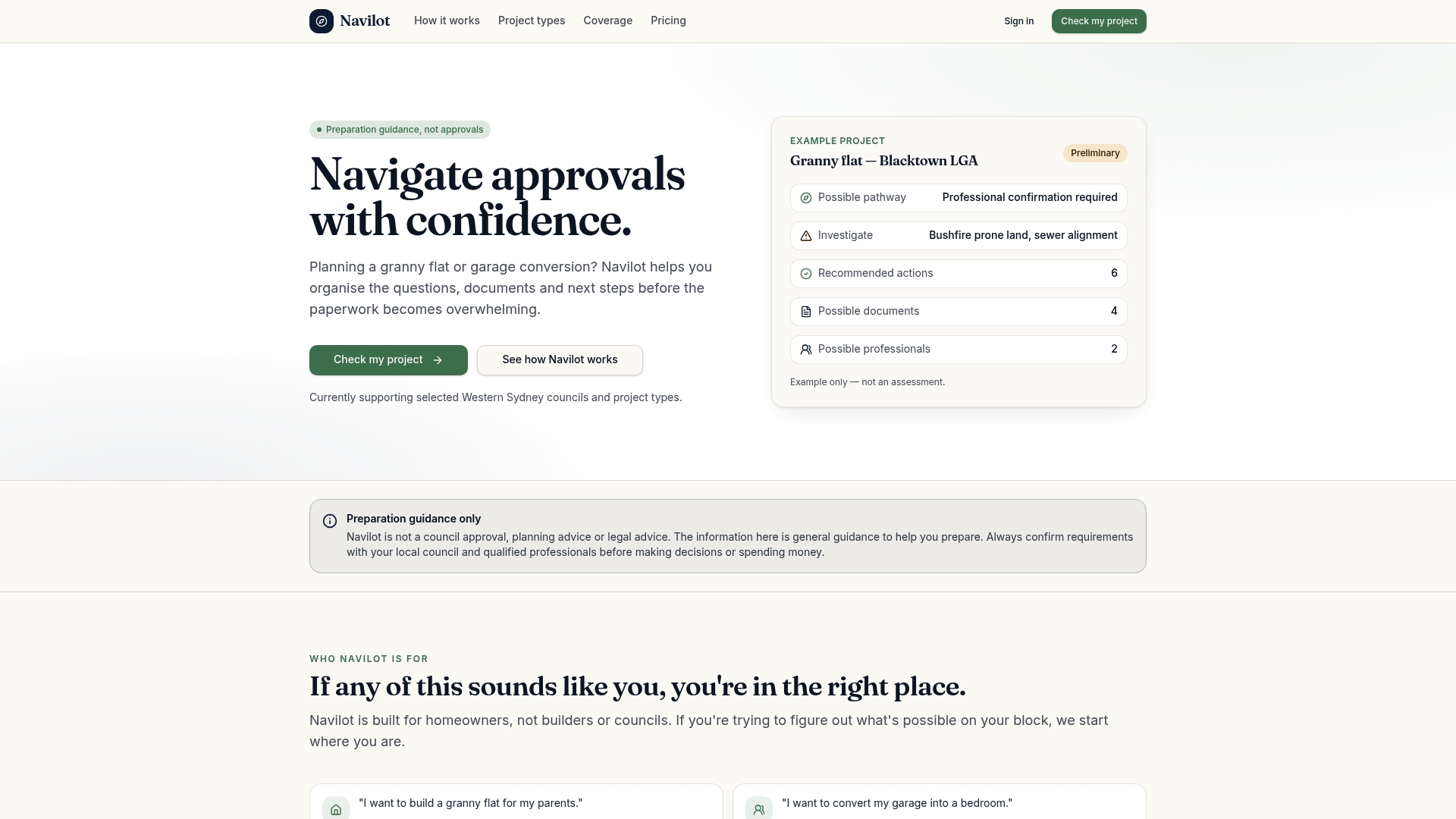
Navilot gives Sydney homeowners a clear picture of their approval pathway before they commit to a builder. Start with a free project check: answer a few questions about your property and proposed work, and Navilot identifies the likely approval route, the documents you'll need, and the obstacles worth knowing about early. If you want the full picture, the $49 detailed roadmap delivers a personalized checklist and document toolkit specific to your project and council.
Pair that with your downloaded budget template and you have both sides of project readiness covered: costs controlled, approvals understood. Start your free project check at Navilot, or see how the platform works before you begin.
Downloads, source links, and compatibility notes
Template downloads
- Google Sheets renovation budget template — Search "renovation budget" in Google Sheets template gallery. Free, collaborative, mobile-friendly.
- Vertex42 renovation budget template — Excel (.xlsx), free download, includes contractor comparison tab. Requires Excel 2016+ for full functionality.
- Smartsheet construction budget template — Free with a Smartsheet account. Includes timeline, cashflow columns, and form-based quote collection.
Compatibility quick reference
| Platform | Best export for sharing | Mobile usability | Collaboration |
|---|---|---|---|
| Google Sheets | PDF snapshot or shared link | Excellent | Real-time, multi-user |
| Excel (.xlsx) | Email attachment or OneDrive link | Poor | Single-user or version-conflict risk |
| Smartsheet | PDF export or shared view link | Good | Real-time, form-based |
| PDF worksheet | Print or email | Any device | None |
Authority sources for cost ranges and contract guidance
- Your Property Guide — Renovation Cost in Australia: contingency percentages, fixed-price vs. cost-plus builder margins.
- TradeVault — Home Renovation Budget Checklist Australia: trade-by-trade cost ranges and quote checklist.
- FocusBuild — How to estimate your renovation budget: local sales price ceiling guidance.
- Templeton Built — How to budget for renovations: scope control and plain-language goal-setting.
- Dura Group — Renovation budget breakdown: six-category breakdown of where renovation dollars go.